
In Stock
₨44,000
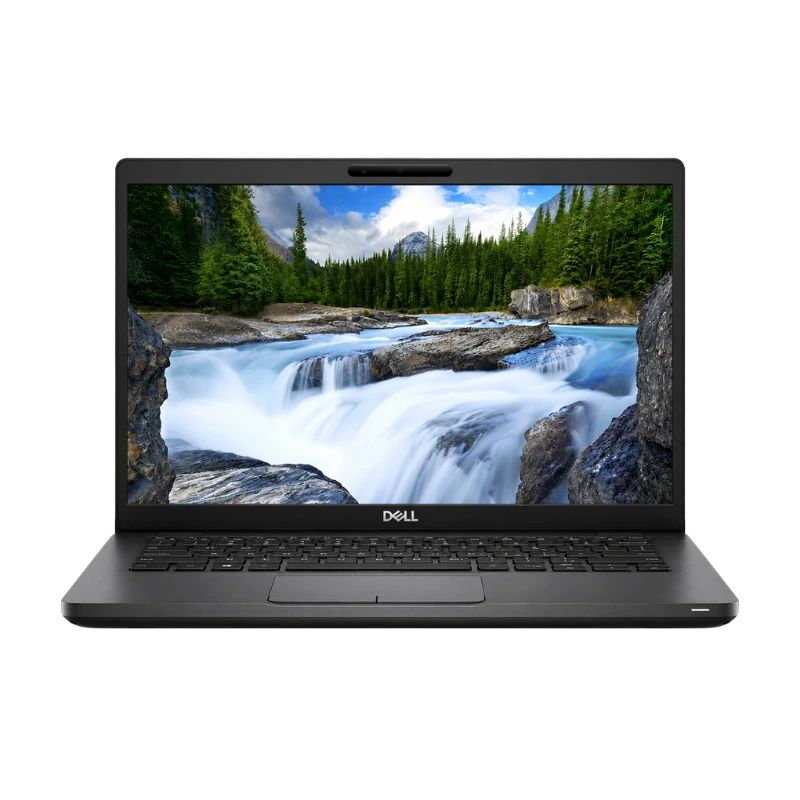
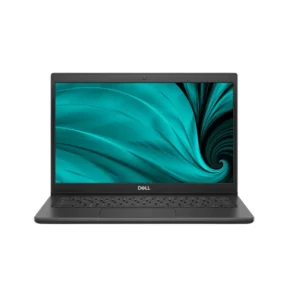
The Dell Latitude 5400 Core i5 8th Gen with 8GB RAM and 256GB SSD is a portable business-class laptop designed for office employees, students, freelancers, teachers, business owners and remote professionals.
Available at Alli Computer, this configuration combines an 8th Generation Intel Core i5 processor with 8GB DDR4 RAM, fast 256GB SSD storage and integrated Intel UHD Graphics 620.
The Dell Latitude 5400 provides reliable performance for Microsoft Office, accounting software, business-management applications, online meetings, web browsing, educational work, basic programming and everyday professional multitasking.
Its compact 14-inch body, upgradeable memory, professional security options and useful selection of ports make it suitable for both desk-based and mobile business use.
The Dell Latitude 5400 features a compact and professional design developed for offices, educational institutions and mobile professionals.
Its portable construction makes it suitable for:
The laptop starts at approximately 1.48kg and measures around 19.6mm at the front and 20.85mm at the rear. Its compact dimensions make it easier to carry than many traditional 15.6-inch business laptops.
Actual weight may vary according to the battery, display, storage and optional internal hardware.
The Dell Latitude 5400 was offered with two main 8th Generation Intel Core i5 processor options:
The commonly available Intel Core i5-8265U includes:
The Intel Core i5-8365U also provides four cores and eight threads, with a maximum Turbo Boost speed of up to 4.10GHz.
The exact processor installed should be confirmed according to the individual laptop available in stock.
The four-core, eight-thread processor provides better multitasking capability than older dual-core business laptops.
It is suitable for:
The laptop is designed primarily for office, educational and professional productivity. The standard integrated-graphics configuration is not intended for demanding modern gaming, professional 3D rendering or heavy GPU-based video production.
The installed 8GB DDR4 RAM provides smooth performance for normal professional and educational multitasking.
It allows users to work with:
The Dell Latitude 5400 includes two SO-DIMM memory slots and supports dual-channel DDR4 memory.
Dell officially lists configurations ranging from 4GB to 32GB, with a maximum of 16GB supported in each slot. Memory rated at 2666MHz operates at 2400MHz when used with the supported 8th-generation processors.
The installed 8GB may be arranged as:
The exact arrangement should be checked before purchasing an upgrade.
The laptop includes a 256GB solid-state drive, providing faster and more responsive performance than a traditional mechanical hard drive.
The SSD provides:
The 256GB capacity is suitable for:
Dell offered the Latitude 5400 with several storage formats, including:
The platform officially supports PCIe NVMe SSD capacities of up to 1TB and M.2 SATA SSD capacities of up to 512GB.
The installed 256GB drive may therefore be SATA or PCIe NVMe. Customers should confirm the SSD interface, brand and health according to the individual unit.
Depending on the installed hardware and internal mounting components, users may be able to:
The required cable, bracket and free internal connector should be checked before planning an additional storage installation.
The Dell Latitude 5400 features a 14-inch display, providing a practical balance between portability and working space.
Dell offered the model with display options including:
The Full HD display provides sharper detail and more workspace than the standard HD panel.
The display is suitable for:
Customers should confirm the exact resolution, touchscreen capability and physical panel condition according to stock.
The HD and Full HD non-touch configurations use an anti-glare surface that can help reduce reflections in:
An optional Full HD embedded touchscreen was also available. Touch functionality should not be advertised unless the individual laptop has been tested and confirmed.
The standard Dell Latitude 5400 Core i5 configuration uses integrated Intel UHD Graphics 620.
The integrated graphics are suitable for:
Intel UHD Graphics 620 uses shared system memory and supports external output through HDMI and compatible USB-C display connections.
The integrated graphics are not intended for demanding modern games, professional animation, advanced 3D rendering or GPU-intensive creative work.
Selected Dell Latitude 5400 configurations were available with AMD Radeon 540X graphics and 2GB GDDR5 dedicated memory.
A verified dedicated-graphics configuration may offer better performance for:
Dedicated Radeon graphics should not be advertised unless the individual unit has been physically verified. The standard listing should use Intel UHD Graphics 620.
The Dell Latitude 5400 includes a full-size keyboard designed for everyday office, educational and professional typing.
It is suitable for:
Because this is a compact 14-inch laptop, it does not include a dedicated numeric keypad.
Keyboard backlighting was available on selected configurations and should be confirmed according to stock.
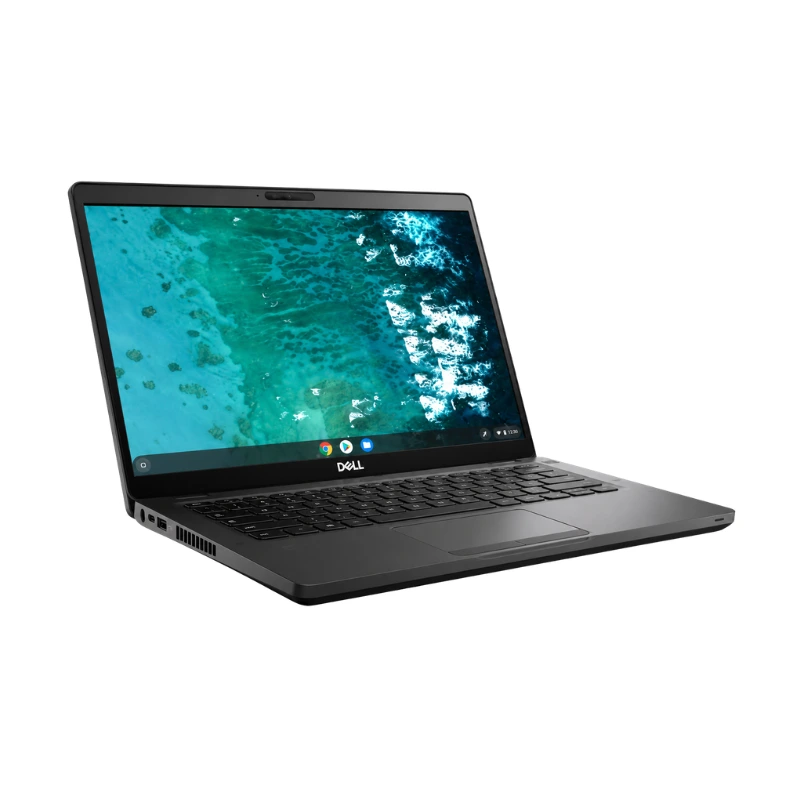
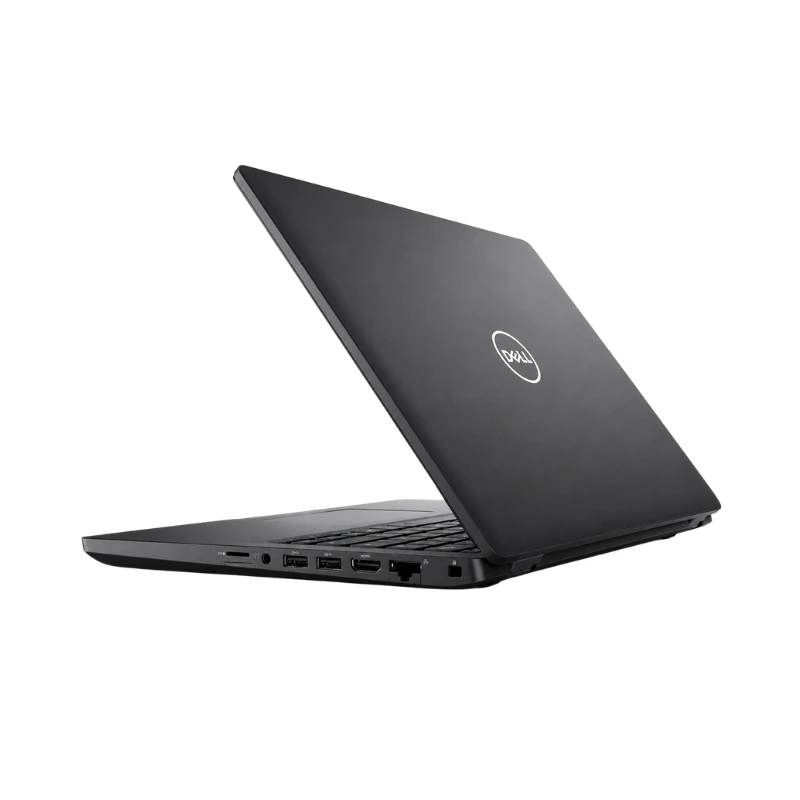
The Dell Latitude 5400 includes one USB Type-C 3.1 Gen 2 port with DisplayPort support.
Thunderbolt 3 was available as an optional feature on supported configurations.
The USB-C connection can be used with compatible:
The port should only be advertised as Thunderbolt 3 after the individual laptop has been verified, because Thunderbolt support was optional.
The Dell Latitude 5400 includes a practical selection of business ports:
The HDMI port supports resolutions of up to 4K at 30Hz on compatible displays.
These connections allow users to attach:
The built-in HDMI port allows the Dell Latitude 5400 to connect directly to compatible monitors, televisions and projectors.
External-display connectivity is useful for:
Additional external displays may be connected through USB-C DisplayPort or an optional Thunderbolt docking station.
Actual resolution and monitor support depend on the display, cable, adapter, dock and graphics-driver configuration.
The Dell Latitude 5400 was available with several wireless options, including:
Dell also included a built-in RJ-45 Ethernet port for stable wired network connectivity.
The exact wireless card should be confirmed according to the individual laptop.
Selected Latitude 5400 configurations support Intel Wi-Fi 6 AX200 wireless connectivity.
Wi-Fi 6 can provide improved performance when used with:
Wi-Fi 6 should only be listed as confirmed when the installed wireless adapter has been checked.
The Dell Latitude 5400 includes a micro-SIM slot on supported configurations.
Selected units were designed for optional mobile-broadband connectivity, which may be useful for:
A SIM slot alone does not confirm that mobile data will work. The laptop must also include the correct internal WWAN modem and antennas.
The Dell Latitude 5400 includes a fixed-focus HD webcam.
Official camera specifications include:
The webcam is suitable for:
The optional infrared camera should be confirmed according to the individual configuration.
The Latitude 5400 includes integrated speakers, microphones and a combined headset port for business communication and everyday media use.
It is suitable for:
The speakers, microphones and audio jack should be tested on the individual pre-owned unit.
Depending on its original configuration, the Dell Latitude 5400 may include:
Dell lists the fingerprint reader as an optional unit integrated into the power button.
Fingerprint, infrared camera and smart-card features should be confirmed according to stock.
Dell offered the Latitude 5400 with three battery configurations:
All three battery options support Dell ExpressCharge. Under supported temperature conditions, Dell lists an approximate ExpressCharge time of two hours.
Actual battery backup depends on:
Because this may be a used or refurbished laptop, customers should confirm battery health, charging performance and practical backup time before purchasing.
The Dell Latitude 5400 Core i5 is ideal for:
It is suitable for applications such as:
Buy the Dell Latitude 5400 Core i5 8th Gen with 8GB RAM and 256GB SSD in Pakistan from Alli Computer.
Customers should contact Alli Computer for the latest price, stock availability, exact processor model, display resolution, touchscreen capability, SSD interface, graphics configuration, Thunderbolt availability, keyboard backlight, fingerprint reader, battery health, physical condition, charger and warranty information.
| Feature | Details |
|---|---|
| Product Name | Dell Latitude 5400 |
| Brand | Dell |
| Series | Latitude 5000 Series |
| Product Type | Business Laptop |
| Processor | Intel Core i5-8265U or Core i5-8365U |
| Processor Generation | 8th Generation |
| Processor Cores | 4 Cores |
| Processor Threads | 8 Threads |
| Base Frequency | 1.60GHz |
| Maximum Turbo Frequency | Up to 3.90GHz or 4.10GHz |
| Processor Cache | 6MB Intel Smart Cache |
| Installed Memory | 8GB RAM |
| Memory Type | DDR4-2400 |
| Memory Slots | Two SO-DIMM Slots |
| Maximum Platform Memory | Up to 32GB |
| Storage | 256GB SSD |
| SSD Interface | SATA or PCIe NVMe |
| SSD Form Factor | M.2 2230 or M.2 2280 |
| Secondary Storage | 2.5-Inch SATA Support |
| Standard Graphics | Intel UHD Graphics 620 |
| Optional Graphics | AMD Radeon 540X 2GB |
| Display Size | 14 Inches |
| Display Resolution | HD or Full HD |
| HD Resolution | 1366 × 768 |
| Full HD Resolution | 1920 × 1080 |
| Refresh Rate | 60Hz |
| Display Surface | Anti-Glare |
| Touchscreen | Optional Full HD Touchscreen |
| USB-A Ports | Three USB 3.1 Gen 1 Ports |
| USB-C Port | USB-C 3.1 Gen 2 with DisplayPort |
| Thunderbolt 3 | Optional |
| HDMI Port | HDMI 1.4b |
| Ethernet Port | Gigabit RJ-45 |
| Card Reader | MicroSD Card Reader |
| SIM Slot | Micro-SIM Slot |
| Audio Port | Headphone and Microphone Combination Jack |
| Webcam | 720p HD Fixed-Focus Camera |
| Infrared Camera | Optional |
| Keyboard | Full-Size Business Keyboard |
| Numeric Keypad | No |
| Keyboard Backlight | Optional |
| Fingerprint Reader | Optional |
| Smart-Card Reader | Optional |
| Wireless Connectivity | Wi-Fi and Bluetooth |
| Wi-Fi 6 | Optional |
| Mobile Broadband | Optional WWAN |
| Battery | 42Wh, 51Wh or 68Wh Lithium-Ion |
| Fast Charging | Dell ExpressCharge |
| Starting Weight | Approximately 1.48kg |
| Colour | Black or Dark Grey |
| Operating System | Confirm Installed Version |
| Condition | Confirm According to Stock |
| Battery Health | Confirm According to Stock |
| Warranty | Confirm According to Stock |
No WhatsApp Number Found!
WhatsApp us
Reviews
There are no reviews yet.